FOR CONSTRUCTION AND FIELD-SERVICE TEAMS
QR inspection forms for the building site
Put the right inspection or induction form where the work happens. A worker scans a QR code, opens the linked public record in a browser, and submits the form from a phone.
Less hunting for paperwork. A clearer record of each submission.
Site teams often work across changing locations, equipment and shifts. When a checklist lives in a folder or on one person's phone, it can be hard to know which form to use and where the completed record belongs.
MrQR gives a site area or equipment record its own QR link. Place the code at the point of work so a team member can open the relevant form without searching through a shared drive or asking a supervisor for the latest copy.
From the site label to the team record
1. Create the record. Add a site, area or piece of equipment to your workspace and attach the published form your team should use.
2. Place the QR code. Print or share the record's QR link and put it where the check takes place.
3. Scan and submit. The worker opens the public record in a phone browser, completes the form and adds supporting details such as a photo or signature when the form asks for them.
4. Review the response. Submissions are available in the workspace alongside the related item and can be verified or exported as CSV.
Keep the context with the check
Use forms for pre-use checks, site walkthroughs, equipment condition notes, induction acknowledgements or other repeatable information your team defines.
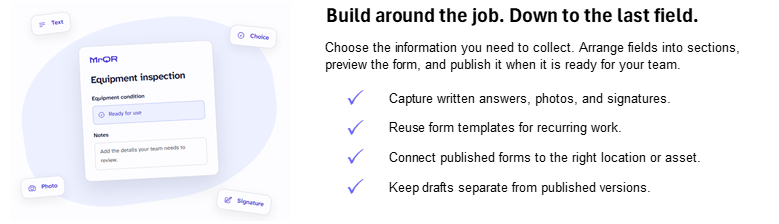
Capture answers, photos and signatures when those fields are part of the form. Keep the record tied to the site or item it concerns, so the team has context when reviewing it later.
Give workers a browser-based route to public forms. They do not need a team account to submit through a public record.
A practical forms and records workflow
MrQR helps teams collect information and organise submissions around records. It does not determine whether a site complies with regulations, schedule inspections, manage corrective actions, or replace a specialist safety platform. If your process depends on those capabilities, confirm fit before adopting it.
Common questions
Do workers need an account to submit a check?
People can submit forms through public records without a team account. Your team manages records and submissions in its workspace.
Can a form collect photos or signatures?
Yes, when the form includes photo or signature fields.
Can we export inspection submissions?
Submission data can be exported as CSV for use in reporting or spreadsheets.