FOR CONTRACT CLEANING TEAMS
QR cleaning checklists for every client site
Put the checklist where the work happens. A cleaner scans the site's QR code, opens its form in a browser and submits the completed details from a phone.
Make the checklist easy to reach and easier to review.
Contract cleaning teams may visit several client locations and follow a different checklist at each one. Paper sheets and messages can separate the completed work from the place where it happened.
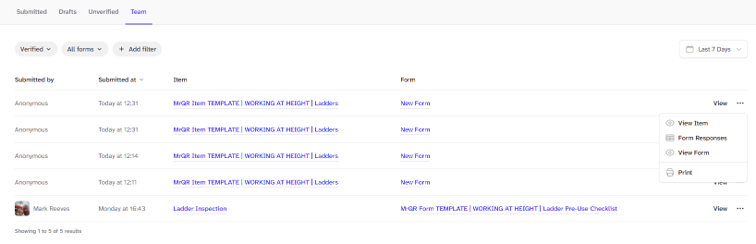
MrQR lets you keep a record for a client site, attach the form your team uses there and place a QR link at the location. The completed submission stays available to your team with that record.
A simple site checklist flow
1. Create a site record for each location your team maintains.
2. Build a checklist form with the tasks and details your process needs.
3. Attach the form to the site record and share or display its QR code.
4. Staff scan, complete the form in a phone browser, and submit. Your team can review the response in the workspace.
Keep the evidence with the visit
Use clear questions for rooms or areas checked, work completed, issues observed and notes for the next visit.
Add photo fields when the team needs to show a completed task or record a condition. Forms can also capture signatures when your workflow calls for an acknowledgement.
Review the submitted responses and export submission data as CSV for follow-up reports or spreadsheets.
What this workflow does—and does not—cover
MrQR provides QR access to forms and keeps submissions linked to records. It is not a workforce scheduling, GPS attendance, job dispatch or automated quality-control system. Choose it when your main need is an easy checklist route and an organised submission record.
Common questions
Do cleaners need to install an app?
Public forms open in a mobile browser, so a separate app installation is not required to submit.
Can each client site have its own checklist?
Yes. Keep separate site records and attach the forms that belong at each location.
Can we include photos in a checklist?
Yes. Add photo fields to the form when the team needs supporting images.